



Measuring Reactive Power (kVAR, kVARh, PF) with IAMMETER Smart Energy Meters
1. Overview
All IAMMETER smart energy meters support not only active power and energy (W, kWh) measurement, but also power factor (PF), reactive power (kVAR), and reactive energy (kVARh) measurement.
These parameters are essential for:
- Power quality analysis
- Monitoring inductive and capacitive loads
- Reactive power compensation
- Optimizing energy usage in industrial and commercial systems
2. IAMMETER Models Supporting Reactive Power Measurement
| Model | System Type | Reactive Measurement | Cloud Plan | Notes |
|---|---|---|---|---|
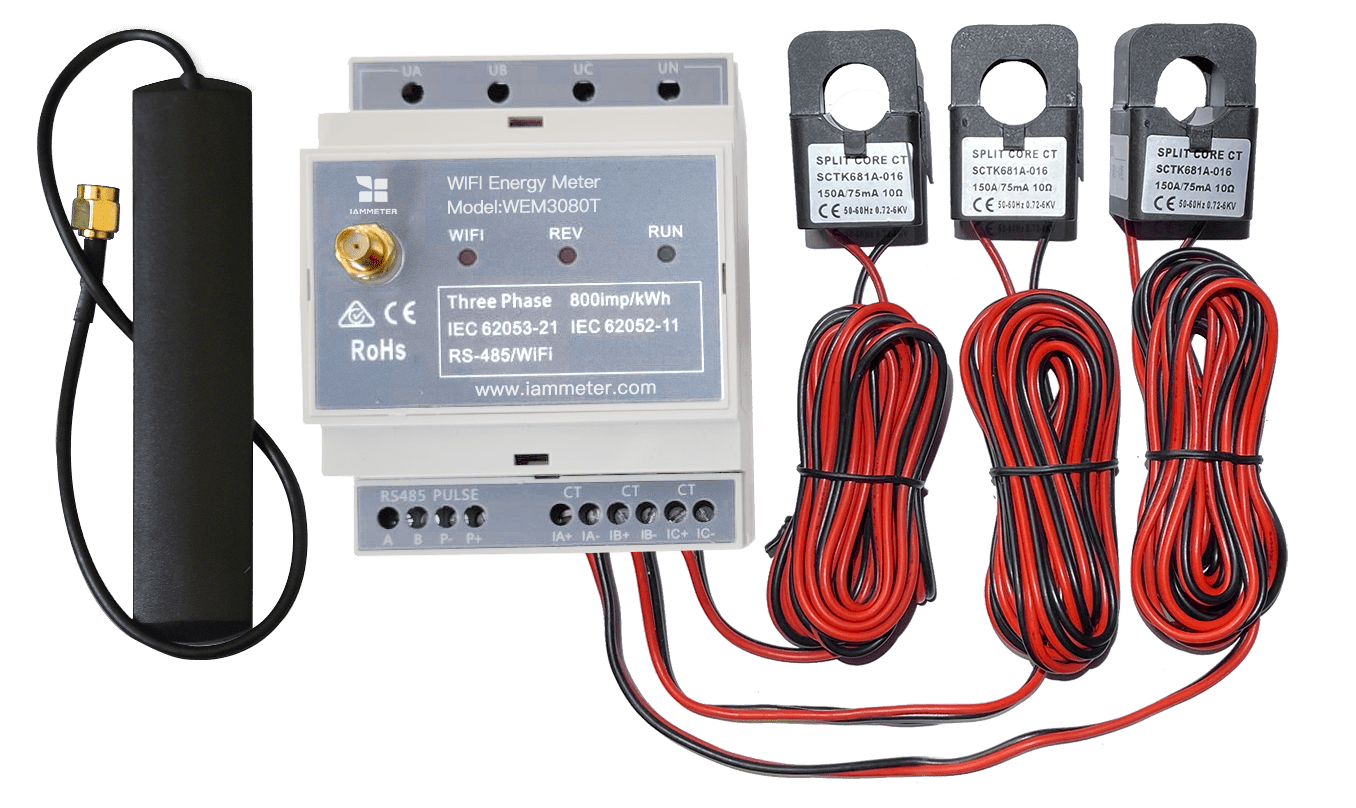
| WEM3080T | Three-phase, four-wire | ✅ | Pro | 150A / 250A / 500A CT options |
| WEM3080TD | Three-phase, three-wire (Delta) | ✅ | Pro | Designed for delta wiring systems |
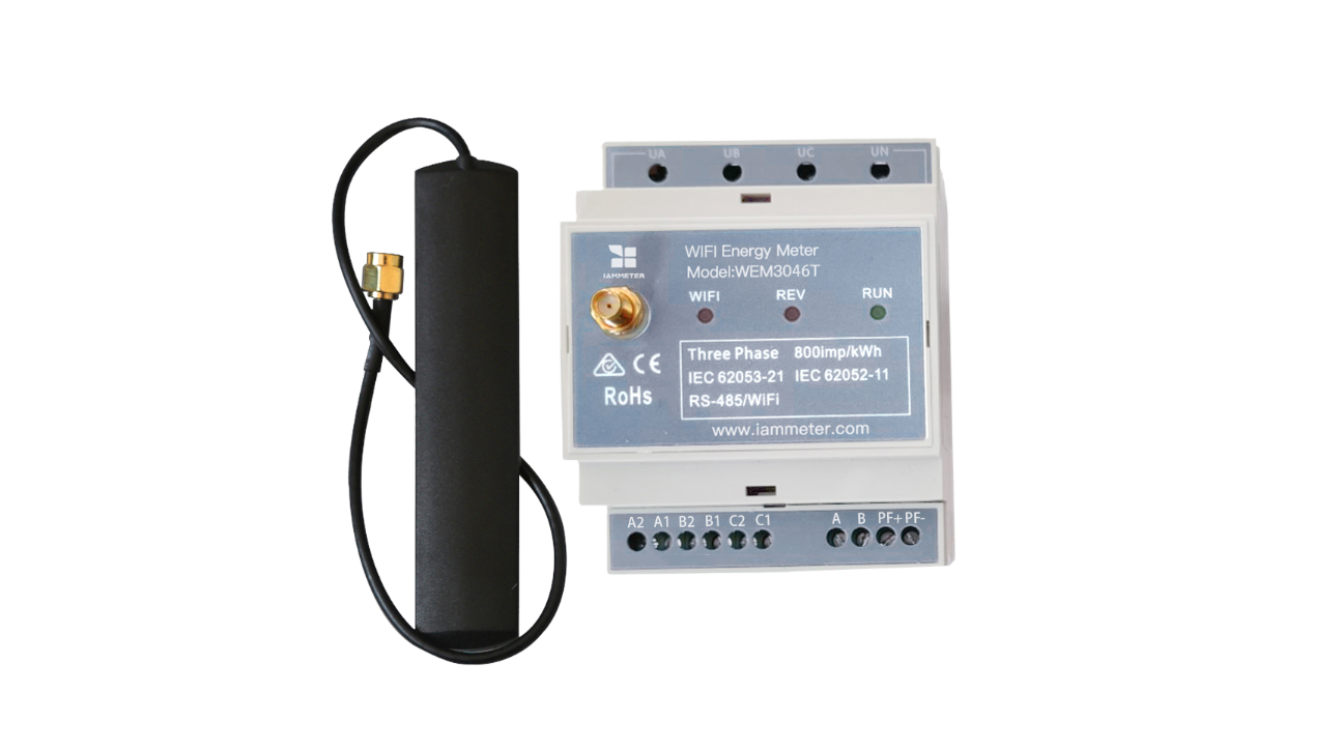
| WEM3046T | Three-phase, four-wire | ✅ | Pro | External 5A CT input |
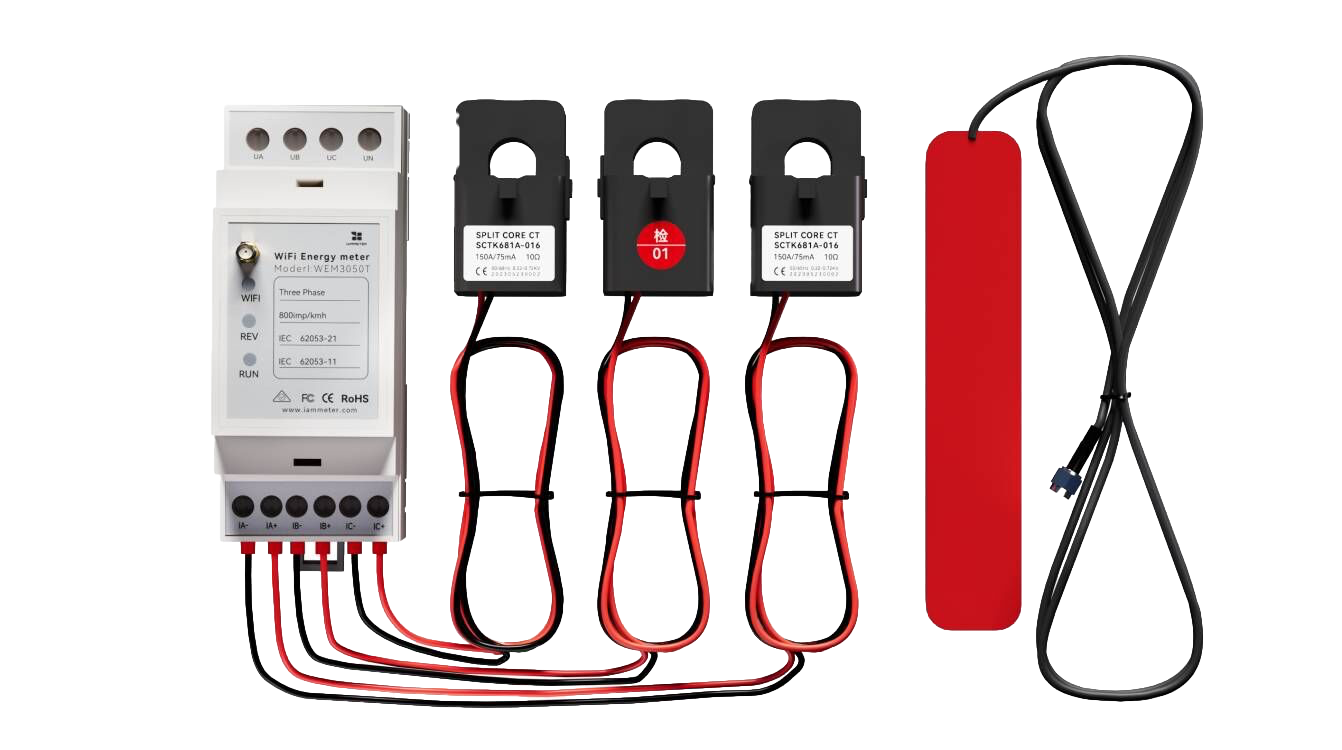
| WEM3050T | Three-phase, four-wire | ✅ | Basic | 150A CT |
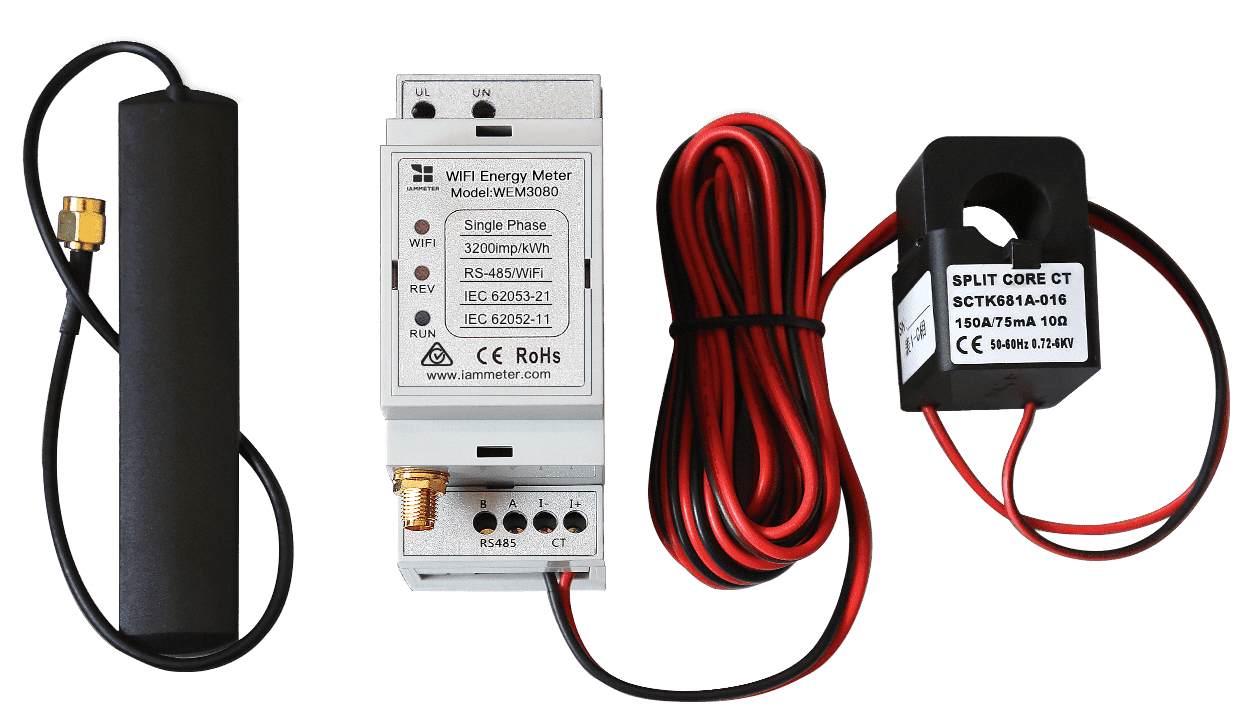
| WEM3080 | Single-phase | ✅ | Pro | 150A CT |
3. Enabling Reactive Power Measurement
3.1 Understanding Reactive Parameters
Understanding reactive parameters is essential before enabling and reading reactive power data.
Reactive parameters include reactive power (kVAR) and reactive energy (kVARh).
If you are not familiar with these concepts, please read:
👉 Reactive Power, kVAR, kVARh and Power Factor Explained https://www.iammeter.com/blog/reactive-power-kvar-kvarh-pf
IAMMETER meters measure both reactive power and reactive energy, and further classify reactive energy into:
- Inductive reactive energy
- Capacitive reactive energy
Measurement logic:
- Positive reactive power → inductive load → energy recorded as inductive kVARh
- Negative reactive power → capacitive load → energy recorded as capacitive kVARh
3.2 Enable Reactive Measurement via Web UI (New Firmware)
For meters running new firmware, reactive measurement can be enabled directly from the local web interface of the device.
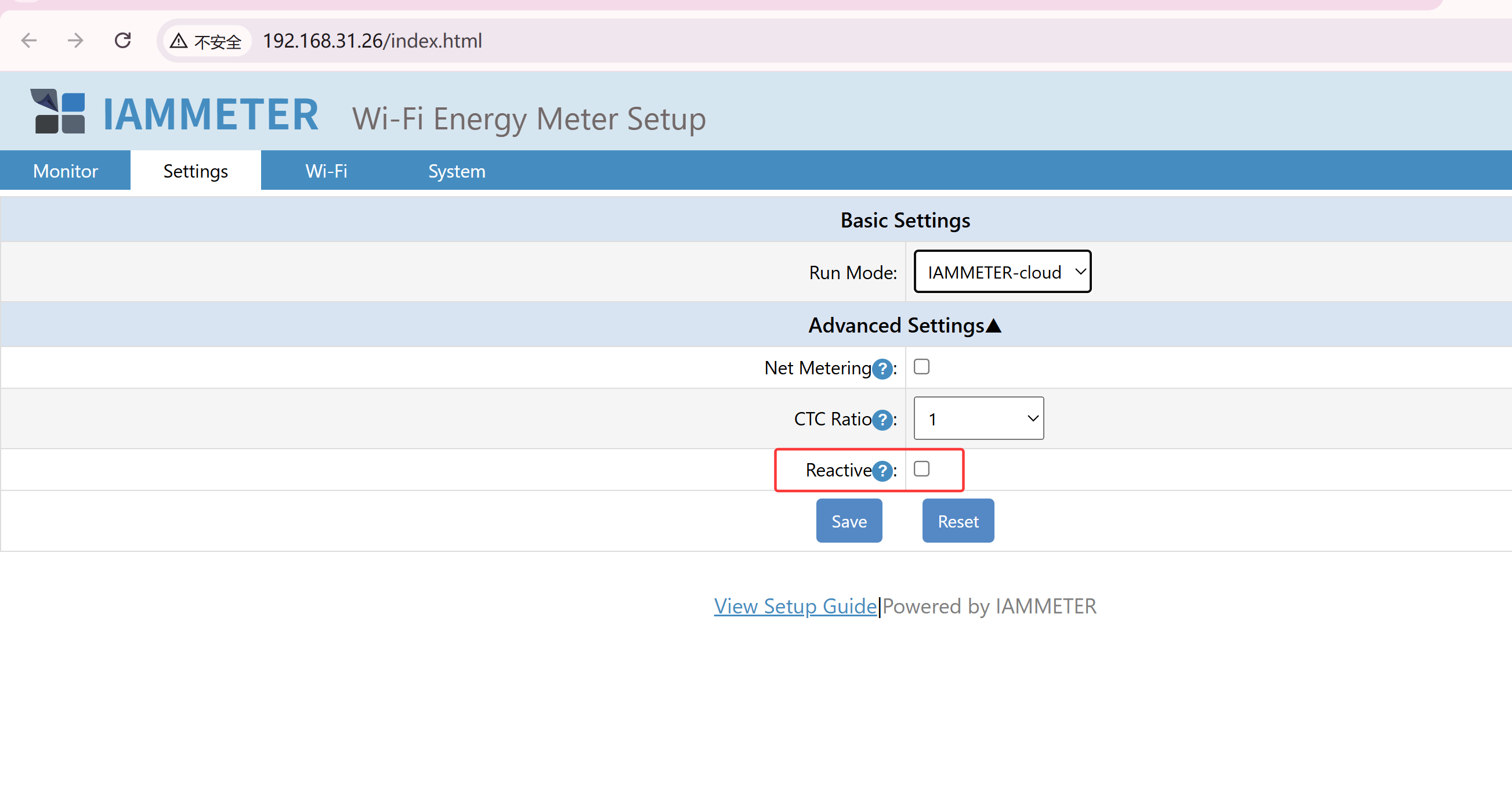
(Figure: Enable reactive power measurement on IAMMETER local web UI)
3.3 Enable Reactive Measurement via API (Legacy Firmware)
For meters running older firmware, the web interface may not include the reactive measurement switch.
In this case, reactive measurement can be enabled via API:
👉 https://www.iammeter.com/newsshow/wem3080tr#turn-on-the-reactive-measurement
Alternatively, you can upgrade the meter to the latest firmware and enable the function via the web UI.
4. How to Read Reactive Parameters
IAMMETER provides multiple ways to access reactive power data.
4.1 View Reactive Data in IAMMETER-Cloud
After enabling reactive measurement, a Reactive page will appear in your IAMMETER-Cloud account.
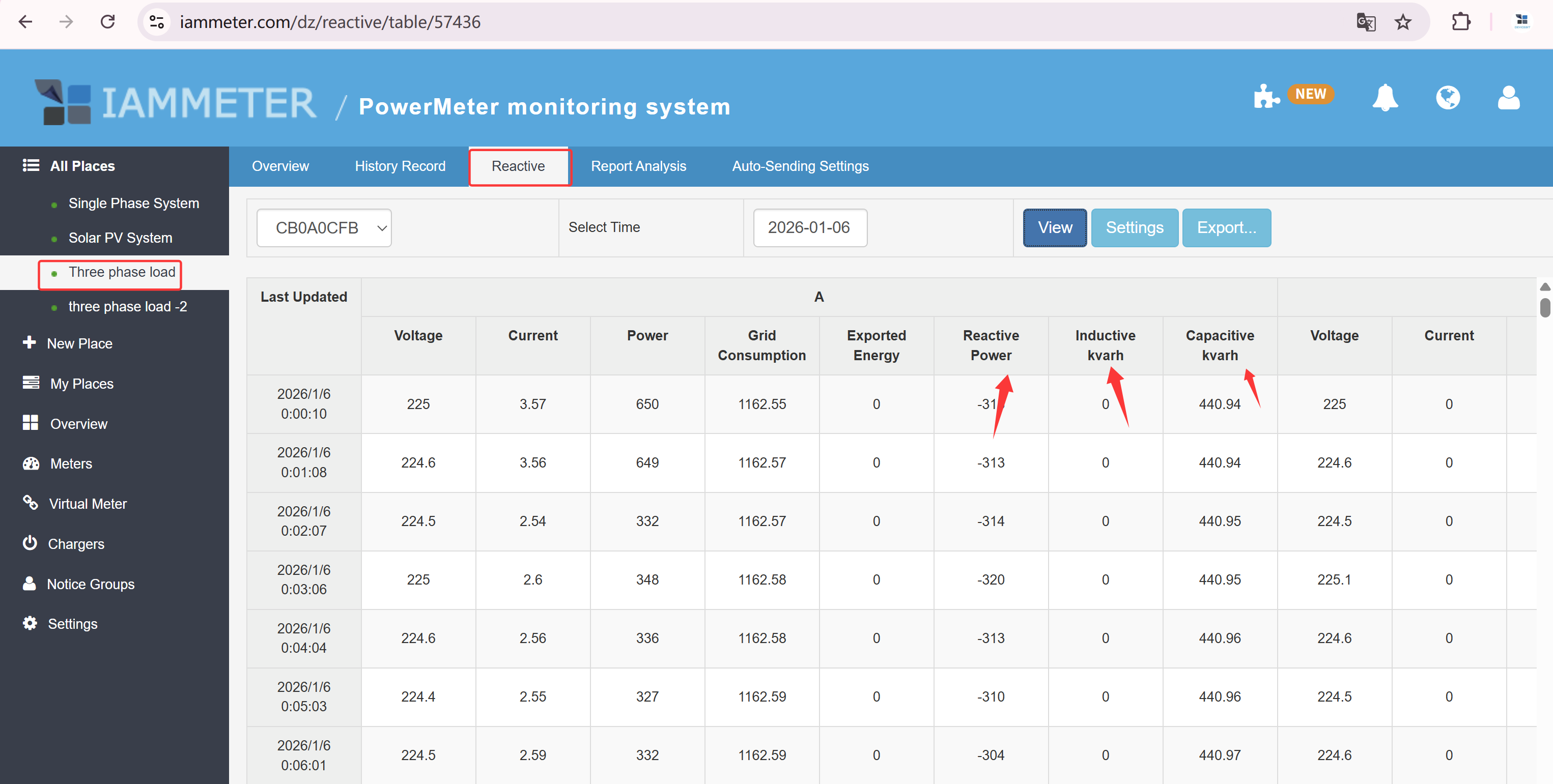
(Figure: IAMMETER-Cloud reactive power dashboard)
Features include:
- Real-time reactive power display
- Historical trend charts
- Data export for further analysis
You can also explore these features using the IAMMETER-Cloud demo account.
For industrial automation systems and PLC integration, IAMMETER provides reactive power data via Modbus/TCP.
4.2 Read Reactive Parameters via Modbus/TCP
IAMMETER meters support standard Modbus/TCP protocol.
Below are examples of registers related to reactive power and reactive energy:
| Index | Addr (Dec) | Addr (Hex) | Length | Description |
|---|---|---|---|---|
| 27 | 38 | 0x26 | 2 | Phase A reactive power (signed, var) |
| 28 | 40 | 0x28 | 2 | Phase A inductive kVARh (unsigned) |
| 29 | 42 | 0x2A | 2 | Phase A capacitive kVARh (unsigned) |
| 30 | 44 | 0x2C | 2 | Phase B reactive power (signed, var) |
| 31 | 46 | 0x2E | 2 | Phase B inductive kVARh (unsigned) |
| 32 | 48 | 0x30 | 2 | Phase B capacitive kVARh (unsigned) |
| 33 | 50 | 0x32 | 2 | Phase C reactive power (signed, var) |
| 34 | 52 | 0x34 | 2 | Phase C inductive kVARh (unsigned) |
| 35 | 54 | 0x36 | 2 | Phase C capacitive kVARh (unsigned) |
📖 Reference: IAMMETER Modbus/TCP Register Table
4.3 Access Reactive Data via HTTP / MQTT API
IAMMETER meters can:
- Publish real-time data to an MQTT broker
- Upload data to the cloud via HTTP
- Be queried locally via HTTP GET
Local HTTP API Example
Endpoint
/api/monitorjson
Sample Response
The following example shows a three-phase meter.
{
  "method": "uploadsn",
  "mac": "B0F8933C1DF7",
  "version": "i.75.98.66",
  "server": "em",
  "SN": "2205310001",
  "EA": {
    "Reactive": [
      [-953, 56.789, 65.879],
      [-948, 78.659, 2.323],
      [-944, 65.245, 6.666]
    ]
  }
}
Each Reactive array represents one phase (A, B, C):
- Reactive power (var)
- Inductive reactive energy (kVARh)
- Capacitive reactive energy (kVARh)
📘 Full JSON field definitions: JSON Data Definition of IAMMETER Products
📡 MQTT integration guide: MQTT Integration with IAMMETER
5. Typical Application Scenarios
⚙️ Reactive Power Compensation Monitoring Monitor reactive power changes to support capacitor bank control.
⚡ Power Factor Management Analyze historical PF data to identify inductive or capacitive load behavior.
🏭 Industrial Load Diagnostics Detect operational characteristics of motors, compressors, and other inductive equipment.
6. Summary
| Capability | Supported |
|---|---|
| Reactive power monitoring (kVAR) | ✅ |
| Reactive energy measurement (kVARh) | ✅ |
| Power factor calculation | ✅ |
| Apparent power analysis | ✅ |
| Modbus / MQTT / HTTP output | ✅ |
| Home Assistant integration | ✅ |
Final Note
If you are looking for a smart energy meter that supports complete reactive power measurement, open communication protocols, and seamless cloud integration, IAMMETER meters are widely used in industrial, commercial, and solar energy systems worldwide.